
1
Download Patch
Press Download for Windows on patch.gg. It’s one file, Patch Setup, about 115 MB.
2
Open the installer
Open your browser’s downloads, at the top right, and open Patch Setup from there. It installs Patch in your own user folder and opens it when it’s done; nothing asks for an administrator.
3
If Windows says it protected your PC, press More info, then Run anyway
That’s SmartScreen, which warns about any installer whose publisher Windows doesn’t know yet. Press More info: the dialog then names the file and its publisher, which Windows still doesn’t know. Press Run anyway and the install carries on.
4
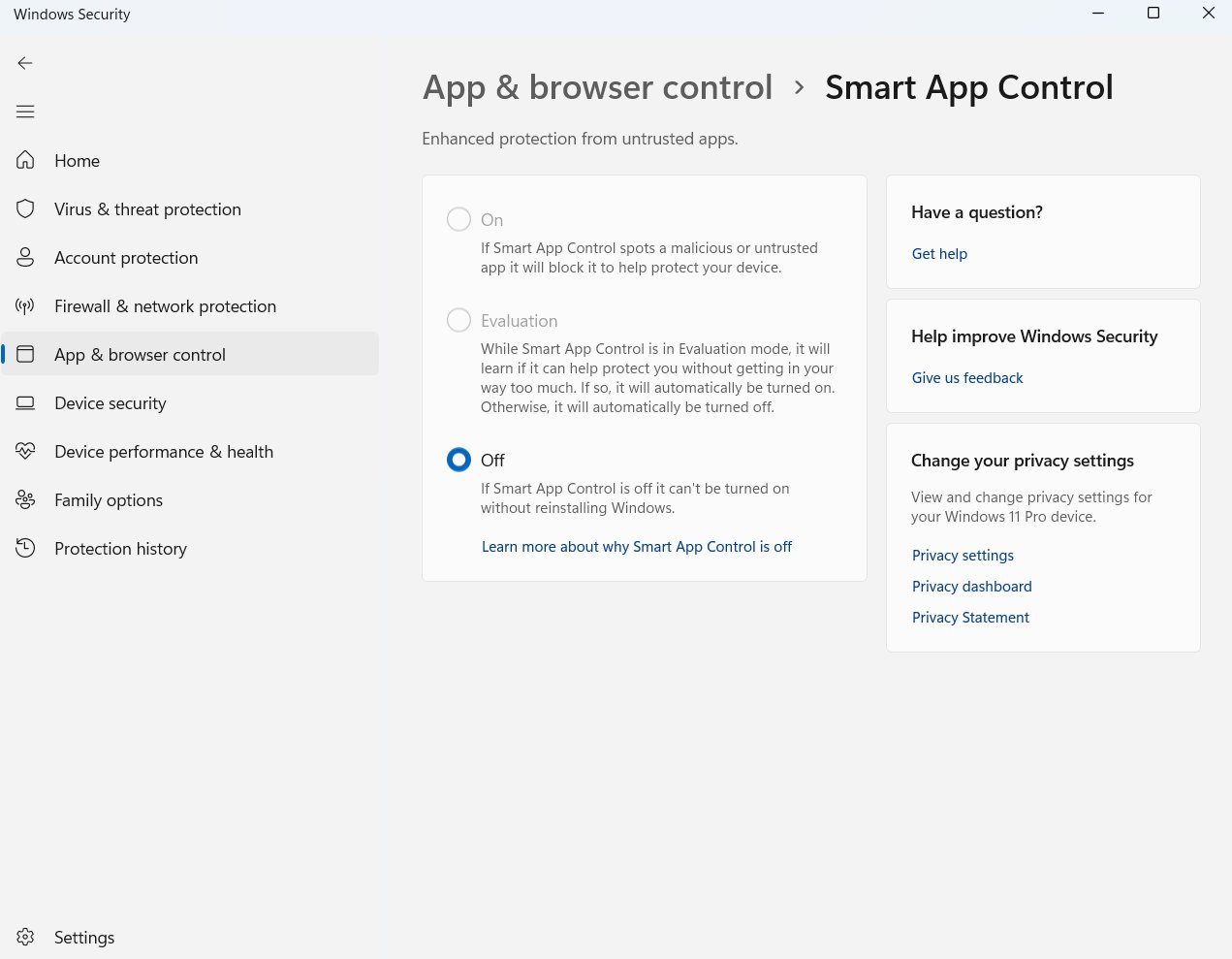
If Smart App Control blocked it, turn it off
Some Windows 11 PCs have Smart App Control on. Instead of SmartScreen’s dialog, it blocks the installer outright, with no way through for just one app.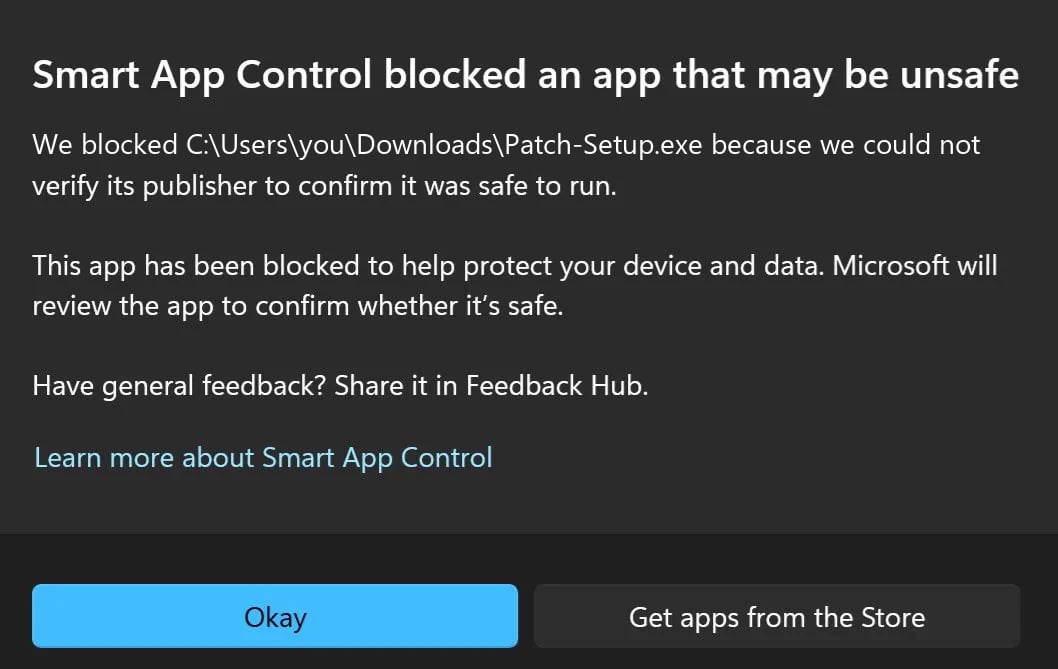
5
Let it install
Patch Setup takes a few seconds and opens Patch when it’s done.
6
Sign in and press Play
Patch opens on Discover. Sign in the way you like, find something, and press Play. Patch finds the game on your PC, sets the mod up and starts it; nothing else to install.
Why Windows warns about Patch
We’re a startup, and Patch launched this week. Windows decides whether to trust an installer by its publisher’s reputation, and a new publisher has none: Microsoft’s review takes one to two weeks, and until it’s through, your PC doesn’t recognise Patch as an approved app and says so. The warnings are about how new we are, not about what’s in the file. You don’t have to take our word for it. The installer is scanned by dozens of antivirus engines at VirusTotal, where none flags it, and the report is public.Patch is built by New Save Labs, Inc. If something on this page doesn’t match what you see, ask in the help channel of our Discord.